Komma on mobile

Most of your people will never open the desktop.

Shift workers, drivers and site staff live on a phone. The app is built for them: a home screen each person arranges themselves, clocking in with one tap, and Karma for the tedious part — like turning a job ad into the skills it needs.

Home screen

A home screen each employee arranges themselves

Most apps give everyone the same screen. This one has thirteen widgets — timer, punch clock, holiday ring, tasks, goals, courses, events, journey, shortcuts and Karma among them — and each person taps Customise and picks their own, in their own order. A shift worker puts the punch clock at the top; someone on a bonus target puts goals there.

Thursday 21 May
Good morning, Mark
MJ
At work now 6:12 Started 08:03 · Engineering
Quick punch
Clock outOne tap
My tasks
3 waiting1 to sign
12,5
Holiday & absence
Days left
Next: 12–23 Aug
Ask Karma

“How much holiday do I have left this year?”

HomeTimeTasksInbox3More
Customise your home screen Move with the arrows · tap the eye to hide
Done
Reset to default
Quick punch
Quick punch
Clock outOne tap
Holiday & absence
12,5
Holiday & absence
Days left
Next: 12–23 Aug
Add widget
My goals Bonus & development
Courses Training & certification
Shortcuts The ones you use often
Your journey Employment & training
HomeTimeTasksInbox3More
Development, bonus & certification
Goals
MJ
My goals · 4
Certifications
Q2 progress 54% 4 goals · 2 on track · 3 carry a bonus
Active goals
BonusDKK 25,000
Close 3 enterprise deals in Q2 Deadline 30 June · updated 14 May
2 / 3 deals67%
Development
Mentor for Lucas for 6 months Deadline 1 October · updated 20 May
2 / 6 months33%
CertificationDKK 5,000 when passed
HubSpot Sales Pro Deadline 15 August · updated 8 May
1 / 4 modules25%
Commission2% of retained ARR
Cut churn in the Nordics below 6% Deadline 31 December · updated 22 May
6.4 / 6 % · on track92%
Your manager follows along

Linnea can see the progress and mark a goal reached — the bonus or commission then goes out with the next pay run.

HomeTimeTasks3CoursesGoals
  • Thirteen widgets to choose from, shown or hidden freely
  • Reorder them, or reset back to the default
  • The timer runs on the home screen — see how long you have been at work
  • Holiday ring with the balance and the next booked absence
  • Karma sits as a button on every single screen

Goals

What you are working towards, and what it pays

Goals live on the phone because that is where people check them. Each one carries its type, its deadline and — where there is one — the bonus or commission attached to it, so nobody has to remember what was agreed at the last review. A manager marks a goal reached, and the payout goes out with the next pay run rather than in a separate spreadsheet.

  • Bonus, development, certification and commission goals in one list
  • Progress against a target, not a percentage somebody typed in
  • The amount attached to the goal, visible to the person it belongs to
  • Your manager marks it reached — the payout follows in payroll
  • Certifications tracked module by module, with the deadline
Development, bonus & certification
Goals
MJ
My goals · 4
Certifications
Q2 progress 54% 4 goals · 2 on track · 3 carry a bonus
Active goals
BonusDKK 25,000
Close 3 enterprise deals in Q2 Deadline 30 June · updated 14 May
2 / 3 deals67%
Development
Mentor for Lucas for 6 months Deadline 1 October · updated 20 May
2 / 6 months33%
CertificationDKK 5,000 when passed
HubSpot Sales Pro Deadline 15 August · updated 8 May
1 / 4 modules25%
Commission2% of retained ARR
Cut churn in the Nordics below 6% Deadline 31 December · updated 22 May
6.4 / 6 % · on track92%
Your manager follows along

Linnea can see the progress and mark a goal reached — the bonus or commission then goes out with the next pay run.

HomeTimeTasks3CoursesGoals

For managers

The approval queue, wherever you are

Managers get the same queue as on the desktop: holiday, timesheets and goals reached, each with the context needed to decide — the balance before and after, the hours against the norm, the amount and the category. Approve, reject, or ask for more information. It writes to the same record and the same audit log.

  • One queue for holiday, timesheets, goals and shift swaps
  • The balance and the team calendar shown with the request
  • Approve, reject or ask for info — with the reason in the log
  • Push when something lands in the queue, or a shift changes
  • Nothing approved on mobile behaves differently from the desktop
Manager · 3 waiting
Approvals
LB
Holiday · Sofie Lund

12–23 Aug · 8 days · balance 12.5 → 4.5

RejectAsk for infoApprove
Timesheet · Emma Nielsen

Week 21 · 42.5 h · 4.5 h overtime

RejectAsk for infoApprove
Goal reached · Noah Jensen

3 / 3 deals · bonus DKK 25,000 · next pay run

RejectAsk for infoApprove
HomeTimeTasks3InboxMore

Clock in

One tap, because the shift is already known

The app knows which shift somebody is on, so clocking in is a single tap rather than a form. The timer keeps running on the home screen, breaks follow the rules that apply to that shift, and every registration lands in the same place payroll reads from — there is no timesheet to type up at the end of the month.

  • One tap in and out — the shift and the department are already known
  • The timer keeps running on the home screen, so nobody forgets to clock out
  • Breaks follow the rules that apply to the shift, not an honour system
  • Today and the week so far, measured against the planned hours
  • Registrations go straight into the gross pay lines — no timesheet at month end
Thursday 21 May
Time
MJ
At work now 6:12 Clocked in 08:03 · shift 08:00–16:00 · Engineering
Clock out
Today
08:03Clocked inEngineering
11:45Break started30 min
12:15Back from breakon time
This week
31.2h
of 37.0 planned · Mon–Fri
On plan
Straight into the pay run

What you register here is what payroll reads. No timesheet to type up at the end of the month.

HomeTimeTasks3InboxMore

Signing

Sign the contract on the phone, not on paper

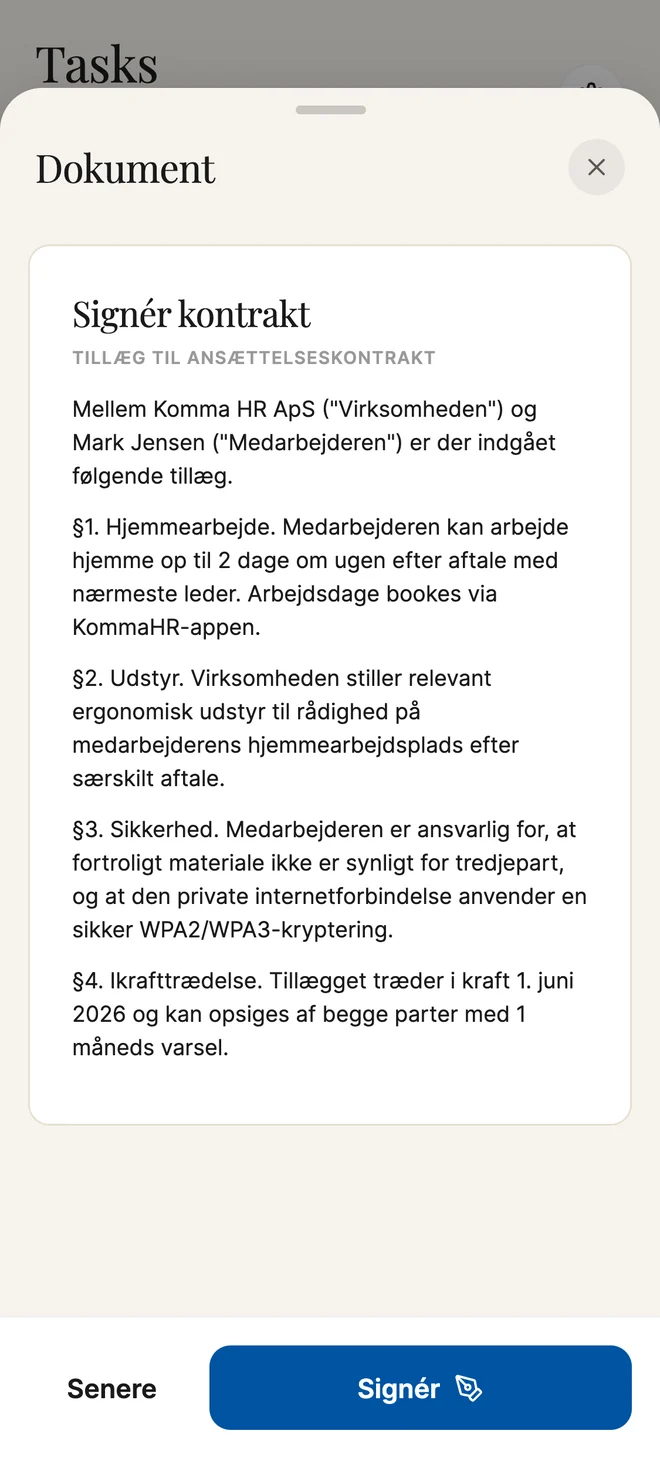
A contract, an addendum or a policy arrives as a task rather than as an email attachment. The terms that matter are pulled out and shown above the signature — position, start date, salary, notice — so nobody signs four pages they scrolled past. Signing is done with a finger, and the signed copy files itself on the employee record the moment it is done.

  • Contracts, addenda and policies arrive as a task, not an attachment
  • The terms that matter shown before the signature, not buried on page three
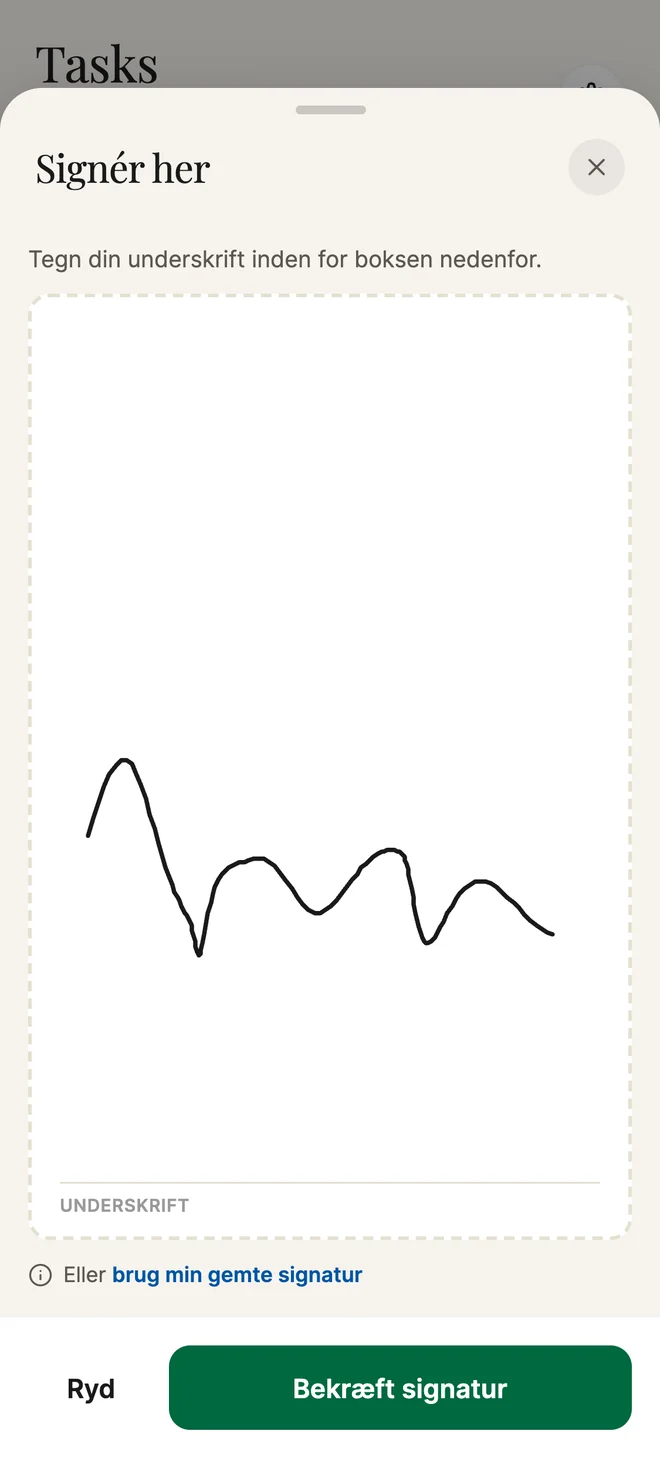
  • Signed with a finger on the phone, with nothing printed
  • The signed copy files itself on the employee record
  • HR sees it as signed straight away, with the timestamp in the audit log
The employment contract addendum open for signature in the Komma app
Signing the contract with a finger in the Komma app

What is in it

Komma on mobile, in full

Clock in

The shift is already known, so it is one tap — and the timer keeps running on the home screen.

Roster

This week and next, including shifts picked up from the marketplace.

Holiday and absence

Request it, see the balance it comes out of, and get the answer as a push.

Karma in your pocket

Ask in plain language. The same assistant as on the desktop.

Documents

Payslips and contracts, and signing with a finger straight in the app.

Biometric lock

Face ID or fingerprint, two-factor at login, and the access you granted.

See it on your own data.

A 30-minute walkthrough with someone who knows the module — and your org structure, not a demo tenant.